Time
Integration Time
6–12 months → 6 hours
Reduce long custom integration projects into a fast AI-assisted setup flow.
Import your OpenAPI or Swagger spec, map endpoints with AI, test live calls, and prepare partner integrations faster.
From API documentation to tested integration setup — in hours, not months.
AI inside the flow
First, OpenPadel AI maps your API spec. Then it maps each tested endpoint using live response data. Both steps are reviewable, editable, and fast.
Outcomes
6–12 months → 6 hours
Reduce long custom integration projects into a fast AI-assisted setup flow.
Up to 70% less custom work
Reduce repeated API development with reusable partner standards and AI-assisted mapping.
Up to 75% less manual mapping
AI detects fields, matches schemas, and suggests mappings for review.
In days, not months
Find partners, connect APIs, and start sharing booking and availability data faster.
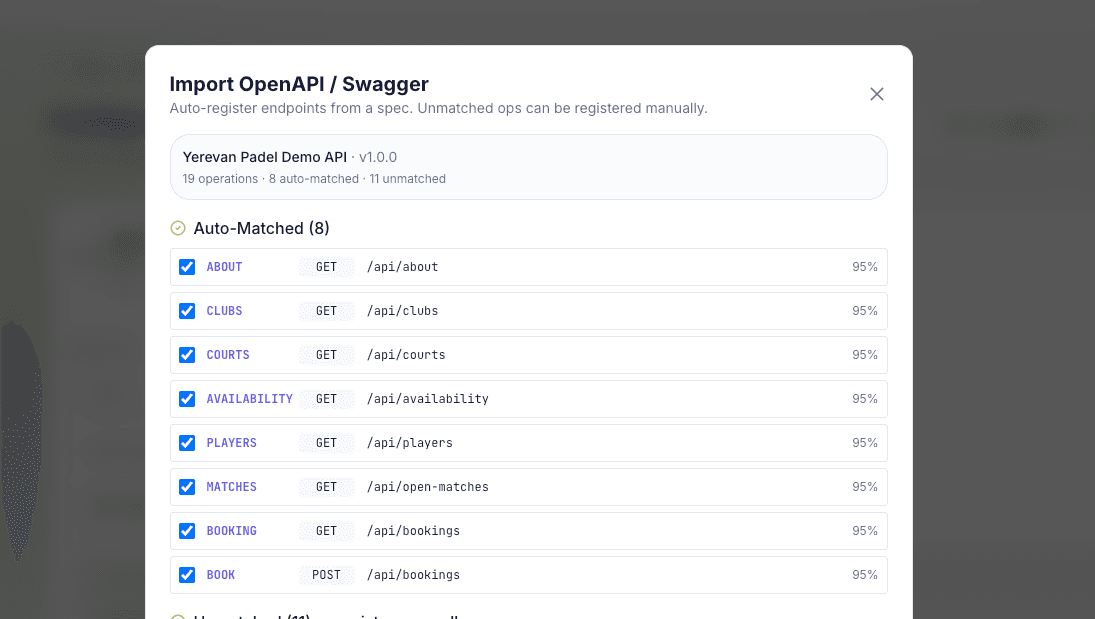
01/Import & map from spec
Upload a spec. Let AI detect endpoints and match them to the OpenPadel schema.
Paste a spec URL or upload an OpenAPI 3.x / Swagger 2.0 document. OpenPadel AI reviews your operations and matches them to unified data types such as clubs, courts, availability, bookings, players, matches, memberships, and events. Each match includes a confidence score, so your team can review, edit, approve, or deselect endpoints before saving.
02/Map every endpoint
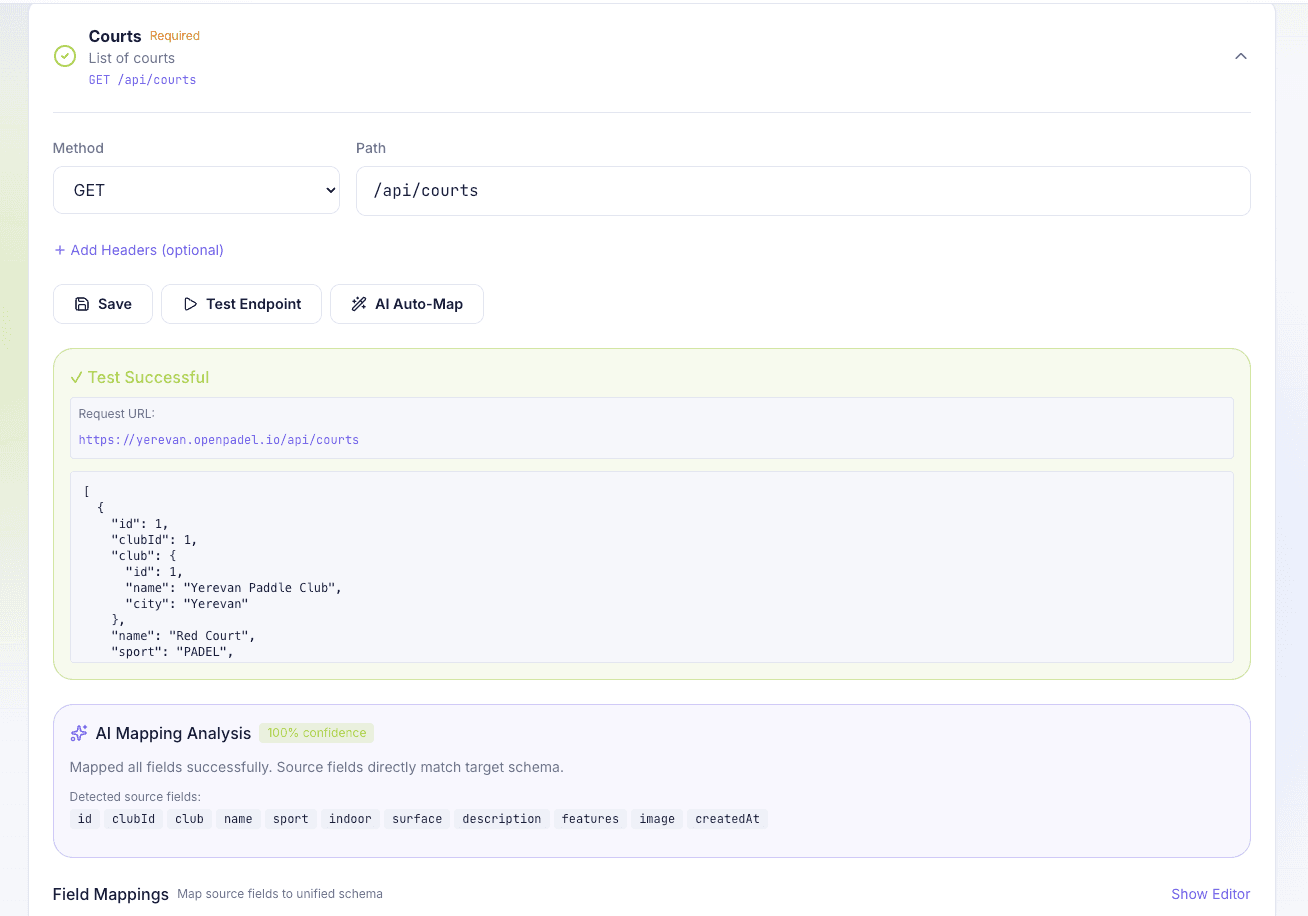
Test a live call. Let AI map response fields to the unified OpenPadel schema.
After a successful test call, OpenPadel AI analyzes the live response, detects source fields, and suggests mappings to the unified schema. Your team can review confidence scores, adjust mappings, edit transformations, and approve everything before saving. For standard mappings, AI reviews JSON schemas, analyzes live response data, and suggests field-by-field mappings — with full control for your team before anything is saved.
Process
Upload an OpenAPI or Swagger file, or paste a documentation URL.
AI matches operations to OpenPadel unified data types.
Run test requests and validate real API responses.
AI suggests field mappings; your team reviews and saves the setup.
Track logs, errors, retries, sync status, and usage after launch.
FAQ
OpenPadel AI reads your API specification, detects endpoints, tests live responses, and suggests how your data maps to the unified OpenPadel schema.
Your team stays in control. Every endpoint and field mapping is reviewable and editable before it is saved or used.
No. OpenPadel AI does not replace your API. It helps your API connect faster with partners, platforms, clubs, and ecosystem services.
You need API documentation, test access, one technical contact, and one clear pilot use case.
Bring your API documentation and a clear pilot use case. OpenPadel AI brings the mapping flow, unified standards, testing process, and operational visibility.
Become a Partner